Category: Guides

Splitboard buying guides and gear guides

  • The high-end tier: avalanche beacons for riders who already know how to search

    The high-end tier: avalanche beacons for riders who already know how to search

    For the experienced backcountry crowd — patrollers, guides, and riders who run multiple-burial drills for fun. If you’re new to transceivers, start with our allrounder guide instead; this one gets technical.


    Read this first — the device is the smallest part of the equation.
    No beacon on this page will save anyone if you can’t run a clean search under stress. The gear buys you margins; your training buys you the rescue. Book the avalanche course, drill your companion rescue until the coarse-to-fine transition is muscle memory, and practise before you drop into the backcountry — not on the day it goes wrong. Every second you shave off in the beacon park is a second a buried partner gets back.


    What actually separates a flagship from a mid-range beacon

    All modern transceivers share the basics: three antennas, the global 457 kHz standard, digital processing, and a marking (flagging) function. At the top of the range you’re paying for performance under the ugly scenarios — deep burials, multiple signals, overlapping pulses, interference.

    The specs that matter to an expert:

    • Circular receiving range & search strip width. A wider strip means fewer pasyes over the debris and a faster first signal. The flagship field runs 70–80 m strips versus 40–50 m on entry models.
    • Signal separation & processing. How cleanly the device isolates overlapping transmitters in a multiple burial — and how it handles spike/false-maxima behaviour on deep signals.
    • Marking robustness. Can you flag a resolved victim and trust it stays flagged when a masked signal reappears?
    • Motion-sensor auto-revert. Reverts you from search back to transmit after a set stillness window — your protection against a secondary slide.
    • Serviceability. Bluetooth firmware updates, diagnostics, and a display you can read with goggles down and mittens on.

    Pieps PRO IPS — the benchmark for range and signal integrity

    Pieps PRO IPS avalanche transceiver

    The Pieps PRO IPS (€479.95) posts the widest search strip in this comparison at 80 m, and backs it with two acronyms worth knowing. IPS (Interference Protection System) suppresses disturbance in transmit mode, and DASP (Dual Antenna Signal Processing) stabilises the signal during the coarse search. Runtime is class-leading: 600 h alkaline, 800 h lithium. Three AAA, 212 g.

    For a lead searcher who wants maximum reach and a no-nonsense interface, this is the tool. The IPS line is a clean generation — judge it on what it is now.

    • Buy it if you prioritise raw range, signal stability, and long runtime for guiding or patrol work.
    • Skip it if you want on-screen hand-holding through the fine search — the PRO IPS trusts you to know what you’re doing.

    Mammut Barryvox S2 — the best-guided search on the market
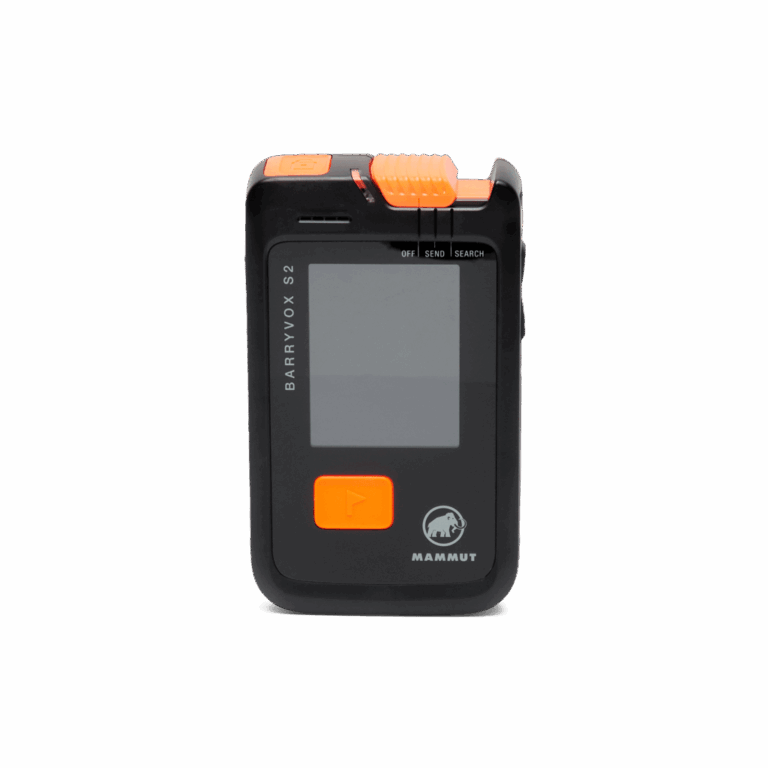
    Mammut Barryvox S2 avalanche transceiver

    The Mammut Barryvox S2 (€480) pairs a 70 m range and strip with Mammut’s animated Smart Search guidance, which visually walks you through the micro-search — genuinely useful when the adrenaline spikes and fine motor control drops. At 180 g it’s also the lightest flagship here. Analog audio and pro settings sit behind the menus for advanced users; the pro-favourite Barryvox S (€490, previous generation) is still sold for those who prefer the older interface.

    • Buy it if you want elite performance plus the most reassuring guided search when it counts.
    • Skip it if you never look at the screen and want pure analog feel — the older Barryvox S or a Tracker suits you better.

    Arva NEO BT PRO — digital reach with an analog escape hatch
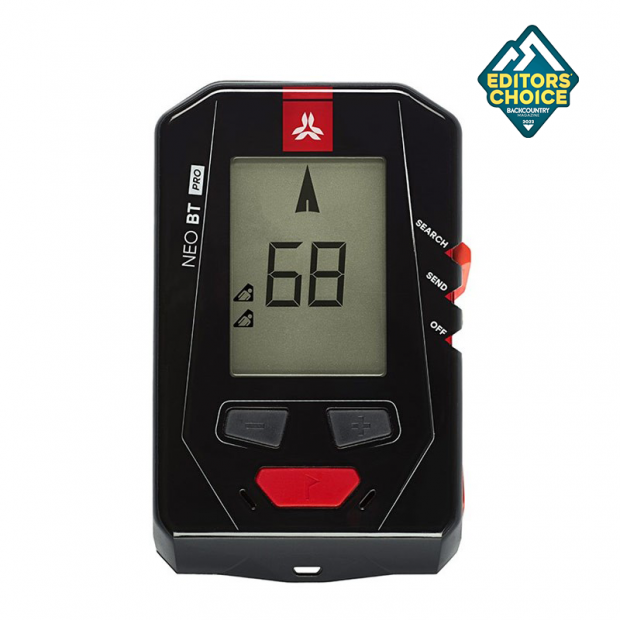
    Arva NEO BT PRO avalanche transceiver

    The Arva NEO BT PRO (€374.90) is the connoisseur’s toolbox: 80 m strip, a crisp OLED display, a full Bluetooth app for updates and training, and — rare now — a true analog mode that extends usable range on deep or complex burials. That analog fallback is why a lot of professionals keep an Arva in the kit.

    • Buy it if you actively use analog searching and want configurable, updatable pro features.
    • Skip it if you want plug-and-play — and note the mandatory safety check / recall (Jan 2025): verify any unit (especially second-hand) has been serviced before you rely on it.

    Flagship comparison

    Model Range Search strip Weight Analog mode Price (RRP) Edge
    Pieps PRO IPS 70 m 80 m 212 g No € 479.95 Range + runtime
    Mammut Barryvox S2 70 m 70 m 180 g Yes (audio) € 480 Guided fine search
    Arva NEO BT PRO 50 m 80 m 210 g Yes (full) € 374.90 Analog + digital

    The expert’s honest verdict

    At this level the differences are real but marginal — and every one of them is dwarfed by the searcher holding the device. A guide with a five-year-old beacon and current skills will out-search a novice with the newest flagship every single time. Buy the tool that matches how you search, then earn the right to carry it: run the drills, keep the firmware current, and rehearse your companion rescue before the season starts, not during your first real burial.

    Written by Splitboard-Specialist — based on specs, no test rides, no sponsoring. Beacon safety is never a substitute for formal avalanche education.
  • The Ortovox Diract Voice: the beacon that talks you through the rescue

    The Ortovox Diract Voice: the beacon that talks you through the rescue

    One transceiver actually speaks to you during a search — telling you where to go and what to do next. Here’s how the Ortovox Diract Voice works, and a plain-English walkthrough of using it when it matters.


    First, the rule that outranks any feature: practice beats hardware.
    Voice guidance is a brilliant aid, but it does not replace training — it supports trained instinct. The Diract Voice will tell you to slow down or turn; it can’t dig, it can’t triage, and it can’t stay calm for you. Take an avalanche course, drill the full companion rescue, and rehearse it before you go off-piste. Treat the voice as a co-pilot, never an autopilot.


    Why voice guidance is a genuinely useful idea

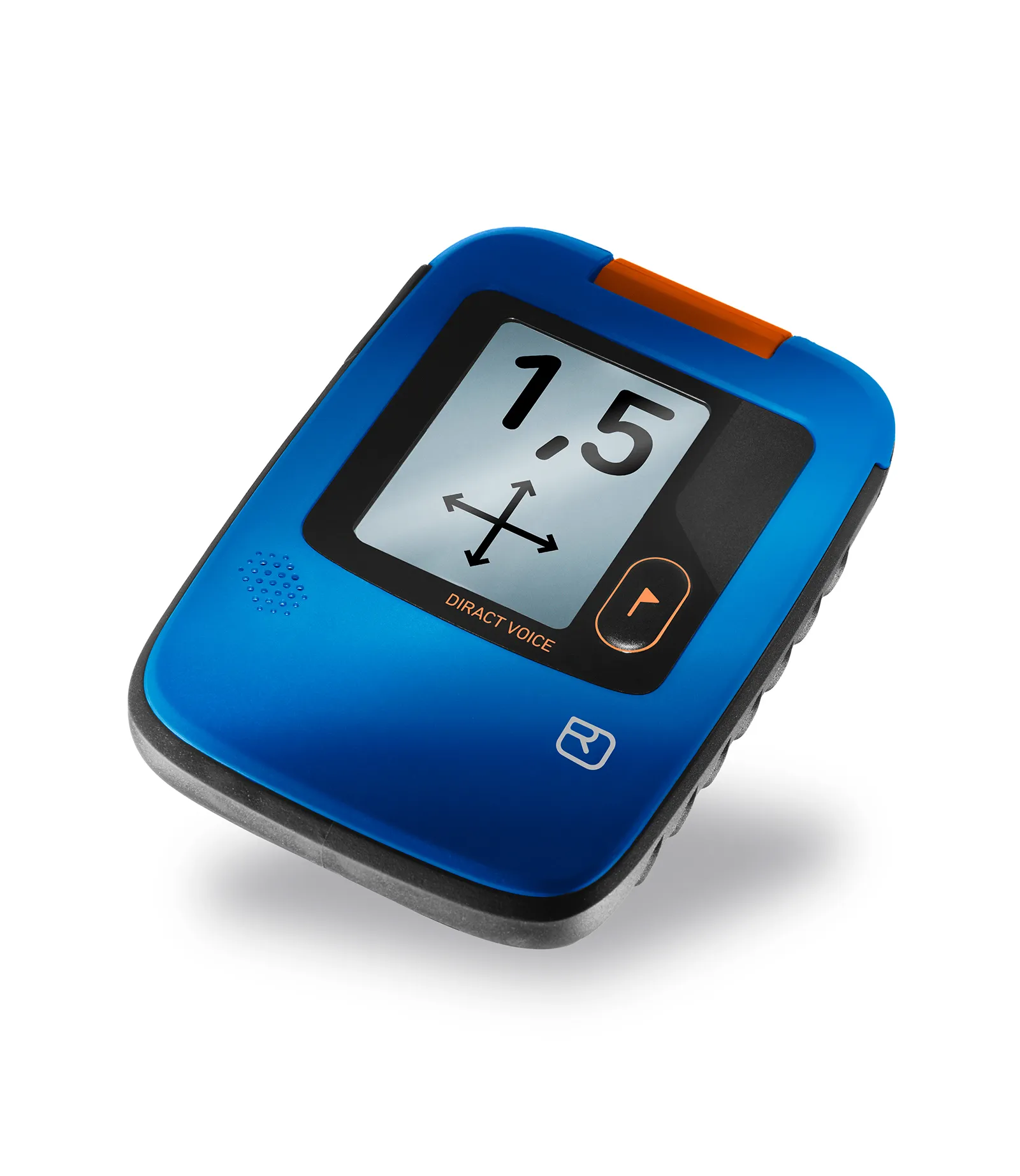
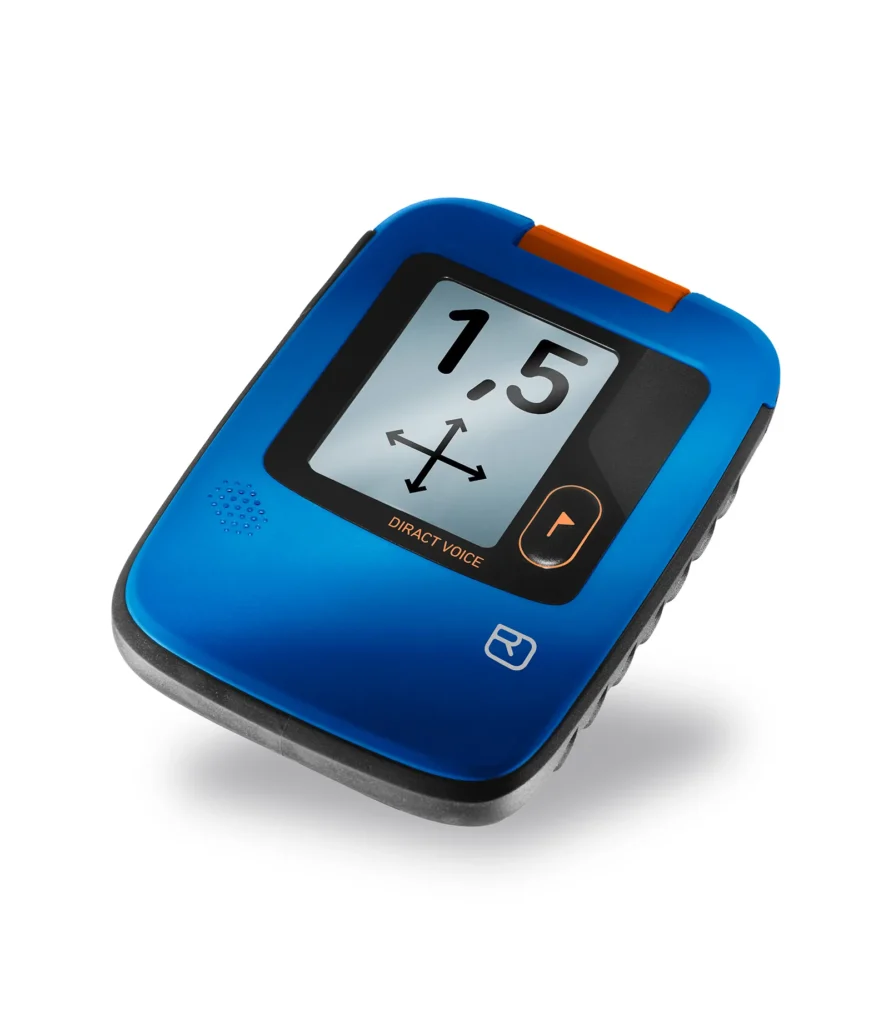
    Ortovox Diract Voice avalanche transceiver

    Under real avalanche stress, two things collapse: fine motor control and the ability to read a screen while moving. The Ortovox Diract Voice (€360) tackles both by speaking the instructions out loud — “go left,” “run,” “slow down” — so your eyes stay on the debris surface and your hands stay free. For a stressed or less-experienced searcher, that’s a real advantage.

    The rest of the package is solid mid-range: three antennas, a 50 m search strip, marking for up to four victims, Ortovox’s Smart-Antenna Technology (it picks the best transmitting antenna based on how the device lies in the snow), and a USB-C rechargeable low-temperature battery that stays reliable to −20 °C and won’t leak like alkalines can.

    How to use it: a plain-English walkthrough

    This is a general overview, not a replacement for the manual or a proper course. Learn the real thing in a beacon park with an instructor first.

    1. Before you leave — the group check.
    Switch the Diract Voice on; it runs a self-test and shows battery status. At the trailhead, do a group check so you confirm every device in the party transmits correctly. Then everyone switches to SEND and carries the beacon in its harness, against the body — never loose in a pocket.

    2. If a slide happens — switch to SEARCH.
    The moment you’re a witness and the scene is safe to enter, slide the beacon to SEARCH. Call the emergency number. Note the victim’s last-seen point.

    3. Signal search — cover the debris.
    Sweep the avalanche debris in strips until the device picks up a signal. With a 50 m strip width, keep your search lines close enough to overlap. The Diract Voice stays mostly quiet here until it has something.

    4. Coarse search — follow the voice.
    Once it locks a signal, the beacon speaks the direction and distance and the display backs it up with an arrow. Follow the guidance, keep the beacon steady in front of you, and watch the distance number fall. When it says slow down, slow down.

    5. Fine search — get low, go slow.
    Around 3 m, drop to the snow and move the beacon slowly and level, following the voice to the lowest distance reading. Bracket the smallest number — that’s your spot.

    6. Mark, probe, dig.
    Mark the point, then confirm with your probe in a spiral out from the lowest reading. Strike, leave the probe in, and start shovelling downhill of it. In a multiple burial, press the flag/mark button to have the beacon set the found victim aside and guide you to the next signal.

    7. Watch for a secondary slide.
    If you stop moving, the motion sensor reverts the beacon to transmit after a set time — protecting you if another slide comes down. Keep that in mind and keep moving deliberately.

    • Buy it if you want a beacon that lowers the stress of searching and a rechargeable battery you don’t have to think about.
    • Skip it if you need maximum range for guiding (look at the Pieps PRO IPS or Mammut Barryvox S2) — the Diract Voice’s 50 m strip is built for recreational touring, not patrol-scale reach.

    The honest takeaway

    The Diract Voice is one of the friendliest beacons to use under pressure, and the spoken guidance is more than a gimmick — it keeps your head up and your hands working. But the voice only tells you what a trained searcher already knows. It shortcuts your eyes and screen, not your skills.

    So do the work the device can’t: take the course, run the drills, and rehearse your rescue before the first backcountry lap of the season. Buy the beacon, then make yourself worthy of carrying it.

    Written by Splitboard-Specialist — based on specs, no test rides, no sponsoring. Beacon safety is never a substitute for formal avalanche education.
  • The cheapest avalanche beacon — and the hidden cost of buying it

    The cheapest avalanche beacon — and the hidden cost of buying it

    Yes, there’s a budget option. No, “cheapest” is not the same as “good enough.” Here’s the entry-level pick, and an honest, unfiltered look at what you give up when you save money on the one device meant to save your life.


    The most important line in this whole article: training beats gear, always.
    A cheap beacon in practised hands beats an expensive one in untrained hands — but that’s an argument for training, not for buying the cheapest thing on the shelf. Whatever you buy, take an avalanche course, drill your companion rescue until it’s automatic, and practise before you ever leave the piste. The device is the floor of your safety, not the ceiling. Your knowledge is the ceiling.


    The budget pick: Arva EVO4

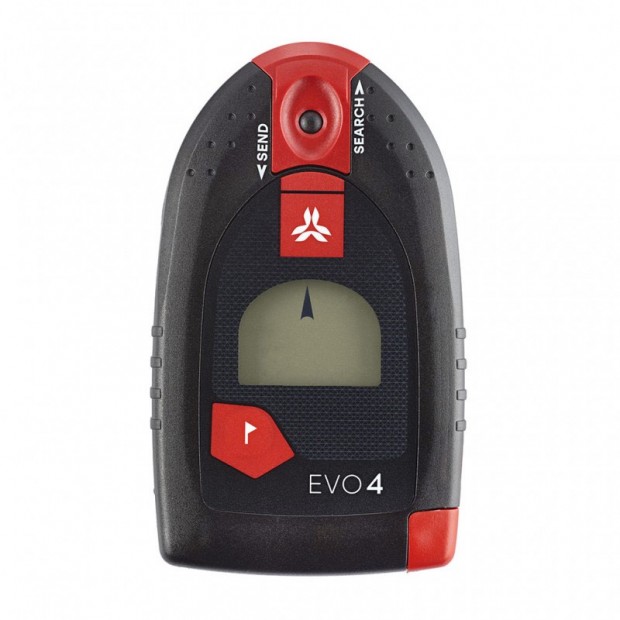
    Arva EVO4 avalanche transceiver

    The Arva EVO4 (€189.90) is the most affordable modern transceiver we’d even consider. To its credit, it covers the non-negotiables: three antennas, the 457 kHz standard, a marking function for multiple burials, and motion-triggered basics. For a tight budget, it’s a real beacon — not a toy.

    But “the cheapest one worth buying” comes with trade-offs you need to see clearly before you decide.

    What you actually give up

    This is the part the price tag doesn’t tell you:

    • Narrower search strip (40 m). That’s roughly half the reach of a flagship’s 80 m. In a real search you make more passes over the debris, and every extra pass costs time a buried partner doesn’t have.
    • Heavier and bulkier (255 g, 4× AAA). The budget model is the heaviest here, while lighter beacons cost more. You feel it on every tour.
    • Slower, simpler multiple-burial handling. Entry beacons are more prone to getting confused when signals overlap — exactly the high-stress scenario where you least want to be fighting your device.
    • No Bluetooth, no app, no firmware updates. You can’t refine settings or keep the software current. What you buy is what you’re stuck with.
    • Basic display and feedback. Less on-screen guidance through the fine search — fine for a trained user, punishing for a panicked one.

    None of these make the EVO4 unsafe. They make it slower and less forgiving — and in avalanche rescue, slower is the entire problem.

    Do the maths on what you’re saving

    The gap between the budget EVO4 and a mid-range all-rounder like the Mammut Barryvox 2 is around €190. Spread across the life of a beacon — easily 8–10 seasons — that’s roughly €20 a year. For that, you double your search strip, drop 75 g, get faster multiple-burial handling, and gain updatable software.

    Put bluntly: this is the last place in your kit to chase a bargain. People will spend €600 on a board and €500 on boots, then flinch at €380 for the device that finds them under the snow. That’s backwards.

    • Buy the EVO4 if budget is a hard wall and the honest alternative is skiing the backcountry with no beacon — in which case a real transceiver you can afford beats nothing, every time.
    • Skip it if you can stretch to the mid-range. The Barryvox 2, Ortovox Diract, or Arva EVO5+ are worth every extra euro.

    The bottom line

    Budget gear is a valid choice when it’s the difference between having a beacon and not. It is not a smart place to economise if you can afford better — because the thing you’re trading away is search time, and search time is survival time.

    But whichever you choose, remember the hierarchy: skills first, device second. The best money you’ll ever spend on avalanche safety isn’t a beacon at all — it’s the course, and the hours in the beacon park, done before you head into the backcountry. Buy the best transceiver you can, then go earn it with practice.

    Written by Splitboard-Specialist — based on specs, no test rides, no sponsoring. Beacon safety is never a substitute for formal avalanche education.
  • The best all-round avalanche beacon: one device that fits almost everyone

    The best all-round avalanche beacon: one device that fits almost everyone

    Most riders don’t need the flagship, and shouldn’t settle for the cheapest. Here’s the beacon that hits the sweet spot — and exactly why it works for beginners and seasoned tourers alike.


    Before anything else: your training matters more than your beacon.
    An all-round transceiver is only “all-round” in trained hands. The device points you in a direction; you run the search, dig the pit, and manage the clock. Take an avalanche course, practise your companion rescue until it’s second nature, and rehearse it before you head off-piste — not on the day you need it. A great beacon with no practice is worse than a basic beacon you know cold.


    What “all-round” actually means

    An all-round beacon isn’t a compromise — it’s a deliberate balance:

    • Enough range to find a signal fast, without the pro-level price.
    • A clean, intuitive interface so a nervous first-timer and a calm veteran both get the same clear guidance.
    • Full multiple-burial marking, so it grows with your skills instead of capping them.
    • A sensible weight and battery setup you’ll actually carry every tour.

    Get those four right and you’ve got a beacon that works on your third tour and your three-hundredth.

    Our pick: the Mammut Barryvox 2

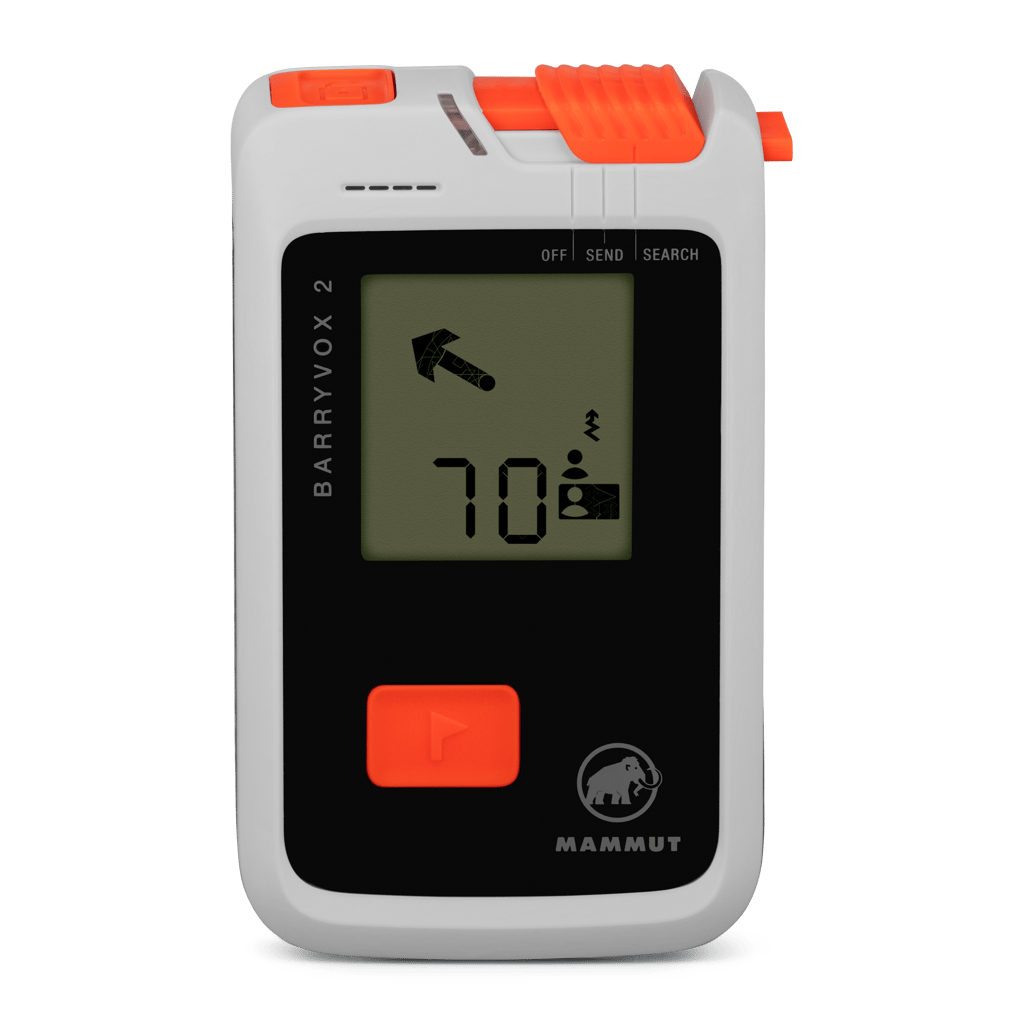
    Mammut Barryvox 2 avalanche transceiver

    The Mammut Barryvox 2 (€380) is the beacon we’d hand to the widest range of riders. It shares the same three-antenna hardware, 70 m range and 70 m search strip as the flagship Barryvox S2 — so you’re not buying a watered-down search — but drops the pro-only extras that most people never touch. At 180 g on two AAA batteries, with a genuinely intuitive interface and Bluetooth for firmware updates, it does everything a recreational tourer needs and nothing they don’t.

    Here’s the key insight: the Barryvox 2 gives you flagship-level finding performance at a mid-range price. The money you save over an S2 isn’t performance you’re missing in the debris field — it’s features aimed at guides and patrollers.

    • Buy it if you want one beacon that’s easy to learn, quick to search, and good enough to keep for a decade.
    • Skip it if you’re a professional who needs analog mode and deep configurability (look at the Barryvox S2 or Pieps PRO IPS), or you want a rechargeable battery (the Ortovox Diract Voice has that).

    Strong alternatives, and who they’re for

    The Barryvox 2 is our default, but two others earn a real look:

    • Ortovox Diract Voice (€360) — voice navigation talks you through the search and a USB-C rechargeable battery means no more loose AAAs. Brilliant for anyone who wants extra reassurance under stress.
    • Pieps MINI IPS (€299) — the compact, feature-complete option if pocketability and price matter most.

    Why the middle beats the extremes for most people

    Go too cheap and you sacrifice search strip width, speed in multiple burials, and updatability — real disadvantages when minutes matter. Go straight to the flagship and you pay for professional features that sit unused in your menus. The all-round tier is where recreational riders get 95% of the performance for a fair price, in a package that’s easy enough to actually master.

    And mastering it is the whole point. The Barryvox 2 is a superb beacon — but it’s your training that turns it into a rescue. Buy the device, then put in the reps at a beacon park before the powder days start.

    Written by Splitboard-Specialist — based on specs, no test rides, no sponsoring. Beacon safety is never a substitute for formal avalanche education.
  • Splitboard Maintenance: Waxing, Edges, Skins & Summer Storage

    A splitboard is a snowboard that gets ridden, walked on, iced up, clamped together and taken apart — sometimes all in one day. It rewards a little maintenance with faster glide, better grip and hardware that does not fail on a summit. Here is the routine, from weekly to yearly.

    Wax: glide works both ways

    A dry base does not just ride slowly — it skins badly, because snow sticks to unwaxed base material on the flats. Hot wax a few times per season (all-temperature wax is fine), scrape thoroughly, and pay attention to the inner edges of both halves where the factory wax wears first. If the base looks grey and feels furry, it is overdue. For what base you actually have, see extruded vs sintered — sintered bases glide faster but want wax more often.

    Edges: sharp where it counts

    A splitboard has four inside edges a solid board does not have — and in tour mode, your outside edges (the board’s regular contact edges) do the gripping on traverses. Run a diamond stone along the edges every few weeks to remove burrs and rust, and keep a 90° file angle unless you know why you want something else. Dull edges on an icy traverse are a safety issue, not a comfort issue.

    Skins: the most neglected item

    • Dry them after every tour — room temperature, glue side open, never on a radiator or in direct sun. Heat kills glue.
    • Store glue-to-glue for transport, on the cheat sheets (mesh) for long storage.
    • Re-proof the plush with skin wax or spray when snow starts sticking (globbing) — wet clumped skins double the weight of every stride.
    • Check the tip and tail hardware for bent clips before the season, not during it.

    Hardware: the ten-minute pre-season check

    1. Pucks and interface: check for play, clean out old ice and grit, snug the screws (thread-locker on metal-to-metal, never overtightened into inserts).
    2. Binding straps and buckles: flex them by hand; cold weather finds every crack. Carry a spare ladder strap — it weighs nothing.
    3. Board clips: should close firmly. Most are adjustable — a loose clip makes the board feel dead; tighten until closing takes real thumb pressure.
    4. Heel risers and tour brackets: moving parts get a drop of dry lube, not oil (oil collects grit).

    Summer storage

    End of season: clean and dry everything, iron on a storage coat of wax (do not scrape), back the binding screws off a quarter turn is unnecessary — just store the board flat or on its side, somewhere cool and dry, away from sun. Skins get a fresh dry, glue-to-glue… and live inside the house, not the hot attic or the damp garage. Do this and your first tour next season starts with gear that works.

    Related: How to choose skins · Transitions step-by-step

  • Splitboard Sizing: Length, Width & Rider Weight Explained

    The old snowboard rule — “the board should reach your chin” — is the fastest way to buy the wrong splitboard. Modern sizing starts with weight, not height: your weight is what flexes the board, drives the edge and determines float. Here is how to size properly.

    Start with your riding weight

    Your riding weight is your body weight plus 5–8 kg: boots, bindings, avalanche kit, water, skins on your back. A 75 kg rider tours at roughly 82 kg — and that is the number to check against a board’s recommended weight range.

    Every board in our database lists its rider weight range per size, and the “My weight” filter does this check for you across every brand at once.

    Where in the range should you sit?

    • Middle of the range — the safe default. The board behaves the way the designer intended.
    • Upper end — the board rides softer and more playful for you. Fine for trees and mellow terrain; expect less support at speed.
    • Lower end — the board rides stiffer and calmer. Good for heavy chargers, hard work for lighter riders in tight terrain.

    Length: the modern trend is shorter

    Volume-shifted shapes (wide, tapered boards ridden 3–6 cm shorter) changed the sizing game. A wide nose and set-back stance generate float that used to require length — so do not be surprised when a modern 154 floats like an old-school 160. Trust the weight range on the spec sheet over any length rule of thumb, and read our profile guide for how shape and float interact.

    Two practical corrections still apply: size toward longer for open, fast terrain and toward shorter for trees and tight couloirs.

    Width: the boot-out check

    Width matters twice on a splitboard: boot-out when riding, and leverage when skinning on hard traverses. The check is simple — with your boot centered on the board at your stance angle, you want a few millimetres of boot overhang at most on each side, not centimetres.

    • EU 44.5 / MP 29 and up: check the waist width per size; consider the wide version if the brand offers one.
    • Below EU 44: a regular width almost always fits — a wide board just costs you edge-to-edge quickness.

    Use the Wide option row in the compare tool to see which of your shortlisted boards comes in a wide.

    The five-minute sizing routine

    1. Calculate your riding weight (body + 5–8 kg).
    2. Filter the database on that weight.
    3. Shortlist boards where you sit mid-range.
    4. Adjust for terrain: shorter for trees, longer for speed.
    5. Check width against your boot size.

    Not sure how your terrain and style weigh in? The Gear Advisor runs this logic for you in four questions.

    Related: How to choose a splitboard · Camber vs rocker profiles

  • Skinning Technique: How to Climb Efficiently on a Splitboard

    Watch a beginner and a veteran skin the same track and the difference is obvious: the beginner lifts, stomps and fights the slope; the veteran glides. The good news — efficient skinning is technique, not fitness, and you can learn most of it in a weekend. These are the fundamentals.

    Glide, don’t step

    The single biggest energy saver: slide each board forward without lifting it off the snow. Lifting a splitboard half plus binding thousands of times per tour is wasted work. Keep your weight centered, push the board forward through the snow, and let the glue and glide of the skin do its job. Long, relaxed strides beat short choppy steps — on flats, think cross-country skiing, not walking.

    Flat foot = maximum grip

    Skins grip through pressure spread over their full length. The moment you rise onto your toes — typically when the track gets steep and you get nervous — the tail of the skin unweights and slips. Counterintuitive but true: drop your heel, stand flat, and the skin holds. If you slip, your first fix is posture, not risers.

    Risers: less than you think

    Heel risers exist to keep your foot level on sustained steep sections — not as a default setting. On moderate terrain a riser actually shortens your stride and reduces skin contact. Rule of thumb: flat until your calves complain, low riser for sustained steepness, high riser rarely. If you constantly need the high riser, the skin track is too steep — cut a mellower line.

    Traverses: edge like you ride

    On firm sidehills, roll your ankles and knees uphill so the board edges bite, exactly like holding an edge on the descent. This is where board choice shows: camber underfoot presses the full skin into the snow and traverses calmly, while heavily rockered boards slip first — something to weigh in the database if your local terrain is icy (our profile guide explains why). Ski crampons (harscheisen) turn desperate icy traverses into boring ones: pack them from late season onwards.

    The kick turn, demystified

    The uphill kick turn scares everyone at first. The sequence that works:

    1. Build a small platform where the track switches back — flat feet, stable stance.
    2. Step the uphill board around first, planting it in the new direction slightly above the track.
    3. Weight it fully, poles planted wide for balance.
    4. Bring the second board around in one smooth swing — commit; hesitating halfway is what makes you fall.

    Practice ten turns on a mellow slope before you need one above exposure.

    Pace: the all-day rule

    Set a pace you can hold while talking. Sweating hard on the up means wet layers and cold on the down. The fastest riders on a long tour are almost always the slowest starters.

    Related: Splitboard transitions step-by-step · How to choose skins

  • Camber vs Rocker: Splitboard Profiles Explained

    Profile — the curve of your board seen from the side — changes how a splitboard climbs, floats and holds an edge more than almost any other spec. Brands wrap it in marketing names (Cruise Camber, Directional Flat-Top, C3), but underneath there are four basic shapes. Here is what they actually do, uphill and down.

    Full camber: grip first

    The classic arch under your feet. Camber presses tip and tail into the snow, which means maximum edge hold on hard snow — and maximum skin contact on icy skin tracks. That second part is underrated: on a frozen morning traverse, a cambered splitboard climbs where flat and rockered boards slip. The trade-off is float: in deep snow a full-camber board wants to dive unless you shift your weight back.

    Best for: steep, firm terrain, spring touring, riders with solid technique.

    Rocker: float first

    The reverse curve — tip and tail rise early. Rocker floats effortlessly in powder and pivots easily between trees, but on hard snow the edge contact is short and nervous, and on icy skin tracks it is the first profile to slip backwards.

    Best for: deep-snow regions, surfy riding, tree runs. Rare as a full profile on splitboards — for a reason.

    Hybrid: the splitboard default

    Most modern splitboards run camber underfoot with an early-rise (rockered) nose — sometimes tail rocker too. You keep most of the edge hold and skinning grip of camber, and gain real float where it matters: at the nose. Names differ per brand, behaviour mostly does not. The variables worth checking: how long the camber section is (longer = more grip, less forgiving) and how pronounced the nose rise is (higher = more float, more nose flap at speed).

    Best for: almost everyone — which is why the market converged on it.

    Flat: the quiet compromise

    Flat between the inserts, usually with rockered tips. More edge contact than rocker, more forgiveness than camber, decent skinning grip. A sensible profile for progressing riders, though it lacks the pop and precision of camber.

    How to choose in practice

    Match the profile to your snow, not to marketing: firm and steep leans camber; deep and playful leans nose rocker; everything in between is hybrid territory. Every board in our database lists its exact profile in the specs, and you can put up to four boards side by side with the compare tool. Not sure where to start? The Gear Advisor factors profile into every match.

    Related: Extruded vs sintered bases · How to choose a splitboard

  • How to Read an Avalanche Forecast Before Every Tour

    Every tour starts the night before, with the avalanche forecast. Reading it well takes five minutes; reading it badly — or only looking at the danger number — is one of the most common factors in avalanche accidents. Here is how to actually use it.

    First things first: this guide is a starting point, not a substitute for an avalanche course. If you ride outside controlled terrain, take a course, carry beacon–shovel–probe, and practice with them. No exceptions, no matter what board is under your feet.

    The danger scale is not linear

    The European scale (EAWS) runs from 1 (Low) to 5 (Very high). The steps are not equal: risk roughly doubles with each level, and most recreational avalanche fatalities happen at level 3 (Considerable) — not at 4 or 5, when most people stay home. Treat “3” as a serious warning, not a middle-of-the-road green light.

    The four things to read, in order

    1. The avalanche problem. Wind slab, persistent weak layer, new snow, wet snow, gliding snow — each behaves differently. A persistent weak layer problem means conservative terrain choices for days or weeks, not just today.
    2. Aspect and elevation. The forecast tells you where the problem lives — for example “NW to NE aspects above 2200 m”. That diagram, combined with a map, is your route-planning tool. Danger level 3 on north faces can mean sensible level-1-style riding on a sunny south ridge.
    3. The danger level — as a summary of the above, per elevation band, not as the whole story.
    4. The text. The forecaster’s discussion contains the nuance: how deep the weak layer sits, whether triggering is likely from a distance, how the day will evolve. Read it every time.

    What the forecast cannot do

    A forecast covers a whole region; your slope is one specific pitch. Local wind loading, a thin snowpack spot, a convex roll — the forecast cannot see them. That is what your own observations are for: recent avalanches, whumpf sounds, shooting cracks, and rapid warming are all louder than any bulletin. If the mountain contradicts the forecast, believe the mountain.

    Make it a routine

    Check the forecast the evening before (plan), again in the morning (confirm), and match it against a terrain plan with options to scale down. The best splitboarders are not the ones who ride the steepest lines — they are the ones still touring at 70.

    Related: Avalanche beacons explained · The backcountry packing checklist

  • Splitboard Transitions: A Step-by-Step Guide That Actually Saves Time

    Nobody buys a splitboard to get good at standing still. But transitions — switching between tour mode and ride mode — are where new splitboarders lose the most time, warmth and patience. A practiced routine takes under five minutes; a chaotic one can take twenty, with cold fingers and a scattered kit. This guide walks through both transitions in the order that works.

    Tour to ride: on the summit

    You are usually cold, exposed and standing on the steepest part of the day. Order matters.

    1. Pick your spot first. Flat, wind-sheltered, and never above a drop. Stamp out a platform with your board halves before you touch a single strap.
    2. Put your jacket on immediately. You stop producing heat the moment you stop skinning. Layer up before your hands get clumsy.
    3. Rip skins while the board halves are still on your feet (advanced) or right after stepping out. Fold them glue-to-glue, half to half — faster than the full-length fold and less chance of snow on the glue.
    4. Skins into the jacket, not the pack on cold days. Body heat keeps the glue workable for the next lap.
    5. Assemble the board: clips first, then bindings to ride position. Clear ice from the hooks and puck channels — a hard credit-card edge or your skin tail works.
    6. Buckle in, check clips again, drop.

    Ride to tour: at the bottom

    1. Choose a flat spot before you stop. Momentum is free travel — do not stop 50 meters short of the skin track start.
    2. Split the board and clear the interface. Snow in the puck channels now becomes ice under torque later.
    3. Skins on tail-to-tip or tip-to-tail — but always tensioned. Line up the tip loop, apply the skin down the centerline, press hard along the full length. A wrinkle at the bottom is a wet skin at the top.
    4. Bindings to tour mode, heel risers checked, boots loosened a click for the walk. Your calves will thank you after 800 vertical meters.

    The three mistakes that cost the most time

    Gloves off for everything. Practice your clips and buckles with liner gloves on — at home, on the carpet. Ten dry runs beat one frozen fumble.

    Skins packed away wet. Glue-to-glue, close to your body. Wet or frozen glue ends your touring day early.

    Kit spread across the slope. Everything goes on your platform or in your pack — nothing “just for a second” on the snow. Gloves and skins slide away exactly when you cannot chase them.

    Board choice matters more than you think

    Stiff clips, self-clearing interfaces and simple binding systems make transitions dramatically faster. If you are still choosing a board, factor the system in — compare interfaces side by side in the splitboard database or get a match via the Gear Advisor.

    Related: How to choose splitboard skins · What to pack for a splitboard tour